Small businesses face many of the same cyber threats as large organizations. Phishing, malware, ransomware, stolen credentials, and unauthorized access can affect any company.
However, small businesses often have fewer security staff and limited resources.
This makes security monitoring difficult.
SIEM for small business can help solve this problem. A SIEM platform collects security data from different systems. It then brings that data together for monitoring, analysis, and threat detection.
With the right setup, a small business can improve visibility without building a large security team.
What Is SIEM for Small Business?
SIEM stands for Security Information and Event Management.
A SIEM platform collects security events from different sources. It can then analyze and correlate those events.
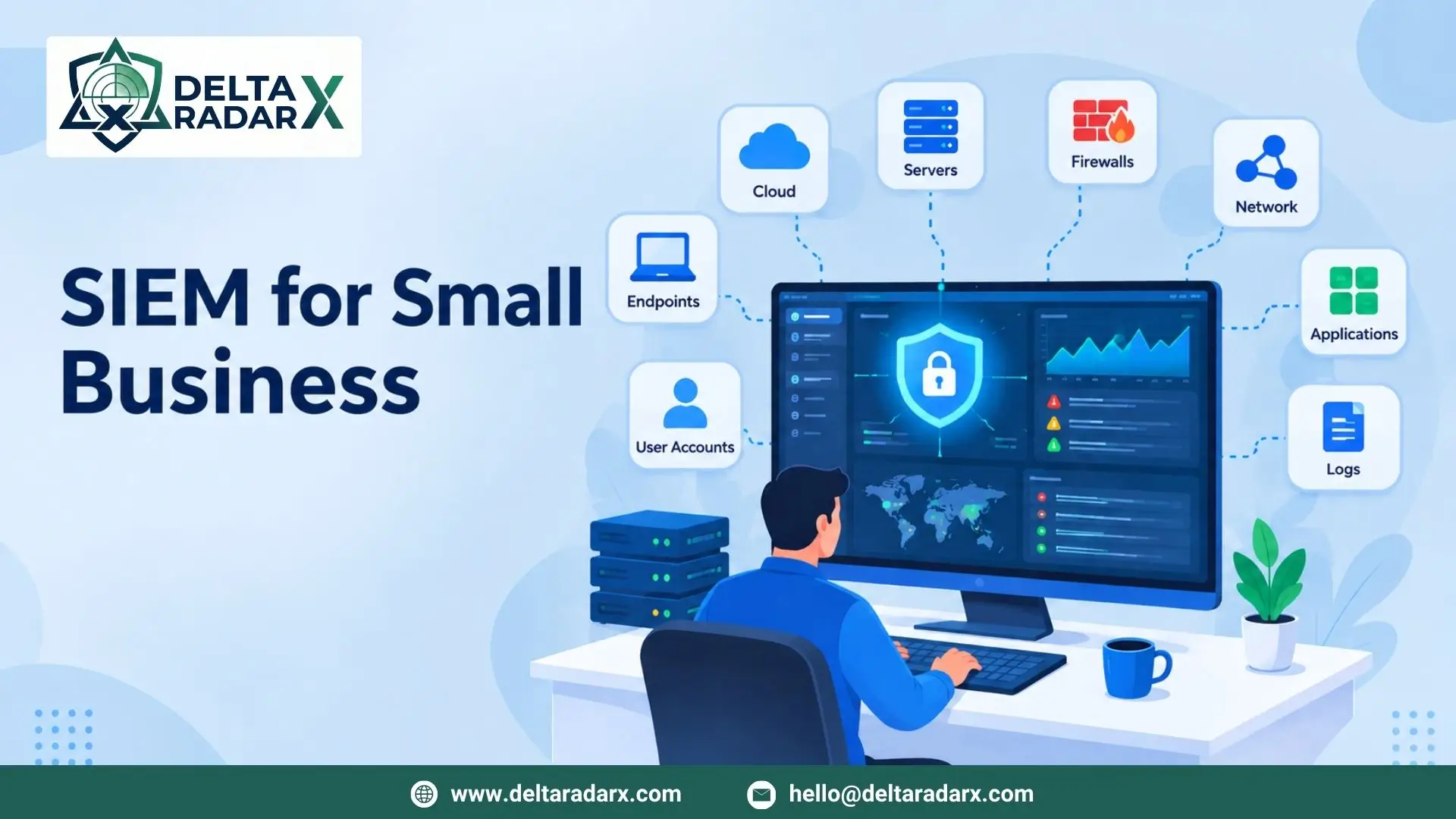
For a small business, these sources may include:
- Computers and servers
- Firewalls
- Network devices
- Cloud services
- Applications
- User accounts
- Antivirus and EDR tools
- Security logs
Instead of checking each system separately, security teams can review important events in one place.
This makes security monitoring more organized.
Why Do Small Businesses Need SIEM?
Small businesses may assume that SIEM is only for large companies.
That is not always the case.
A small business can also face serious security threats. In addition, attackers may target smaller organizations because they may have fewer security resources.
A SIEM can help businesses:
- Monitor security events
- Detect suspicious activity
- Investigate alerts
- Identify unusual login activity
- Track security incidents
- Improve log visibility
- Support incident response
However, a SIEM should match the size and needs of the business.
A small company does not always need a complex enterprise deployment.
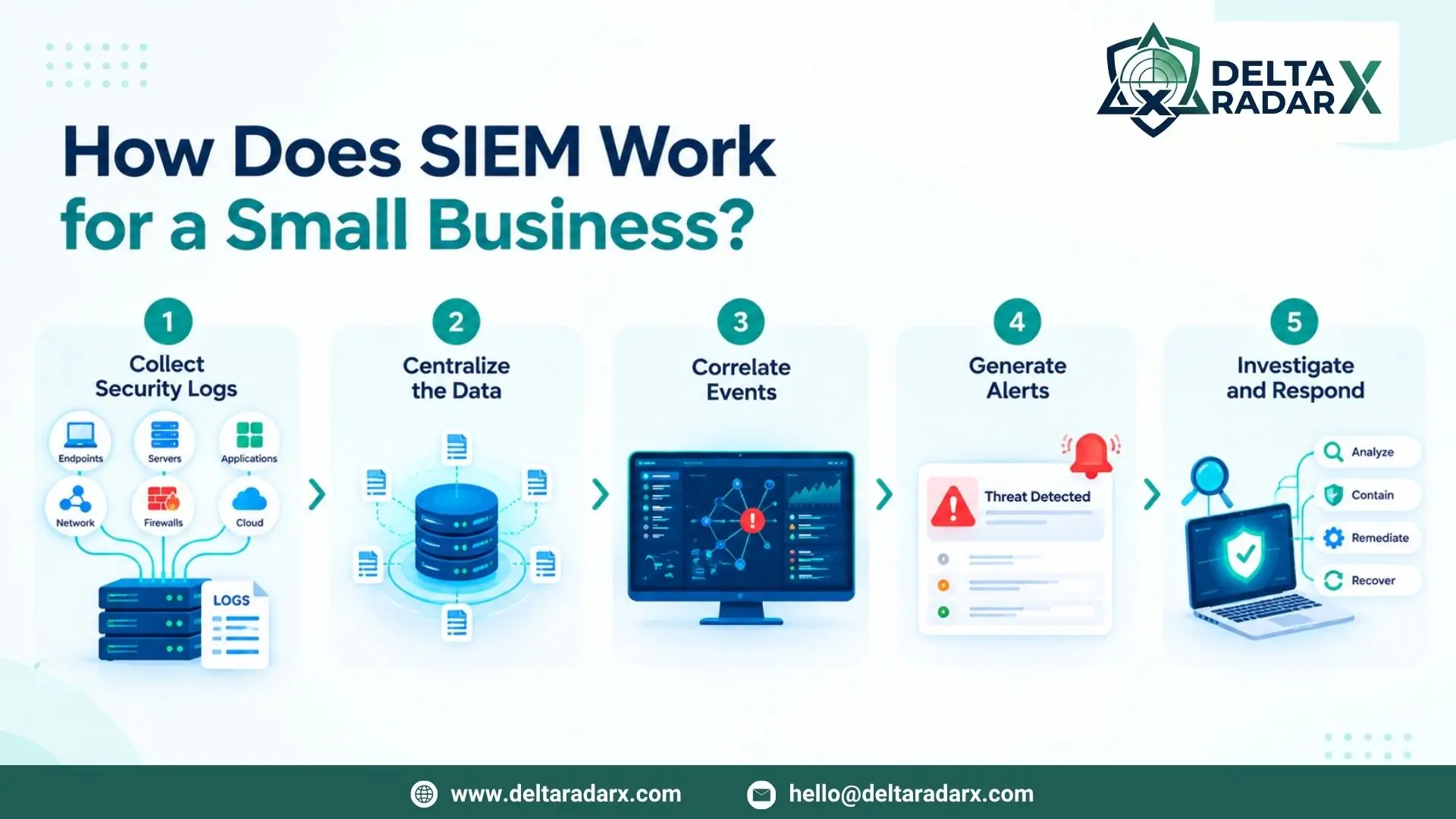
How Does SIEM Work for a Small Business?
The basic process is simple.
1. Collect Security Logs
First, the SIEM collects logs from different systems.
These logs can contain information about:
- User logins
- Failed login attempts
- Network connections
- Firewall activity
- System changes
- Application events
- Security alerts
2. Centralize the Data
The SIEM brings these events into one platform.
This gives security teams a central view of their environment.
It also makes searching and reviewing security events easier.
3. Correlate Events
One event may not look suspicious on its own.
However, several related events may show a possible attack.
For example, a failed login may be normal.
But several failed logins followed by a successful login and unusual data access may need investigation.
SIEM correlation can help identify these patterns.
4. Generate Alerts
When the SIEM identifies suspicious activity, it can generate an alert.
Security teams can then investigate the event.
5. Investigate and Respond
After an alert appears, analysts can review the related logs.
They can identify affected users, devices, and systems.
If the event is confirmed as a threat, the team can take response actions.
Key Features of SIEM for Small Business
A small business should focus on useful features rather than unnecessary complexity.
Centralized Log Management
Centralized logging is one of the main benefits of SIEM.
It brings security events from different systems into one location.
This makes monitoring easier.
Real-Time Security Monitoring
A SIEM can monitor security events as they occur.
This helps teams identify important activity without waiting for a manual review.
Alert Management
A SIEM can generate alerts based on security rules and detected patterns.
Good alert management can help teams focus on important events.
Threat Detection
SIEM can identify patterns that may indicate a security threat.
These can include unusual login activity, suspicious network connections, and unexpected system changes.
Security Reporting
SIEM platforms can create security reports.
These reports can help businesses understand security activity and support compliance requirements.
Search and Investigation
Security analysts can search historical logs during an investigation.
This can help them understand what happened before and after an alert.
What Should a Small Business Monitor With SIEM?
A SIEM becomes more useful when it receives data from important security sources.
Firewalls
Firewall logs can show incoming and outgoing network connections.
They can also provide useful information about blocked and allowed traffic.
Endpoints
Endpoint logs can show activity on computers and servers.
When combined with EDR data, they can provide more information during investigations.
User Accounts
Authentication logs can show successful and failed login attempts.
They can also help identify unusual account behavior.
Cloud Services
Cloud platforms generate many security events.
Monitoring these events can help businesses detect suspicious cloud activity.
Applications
Business applications can also generate useful security logs.
These logs can help identify unusual access or application errors.
Best SIEM for Small Business: What Should You Look For?
There is no single SIEM that fits every small business.
Instead, the best SIEM for small business depends on the company’s size, infrastructure, security needs, and available budget.
A business should consider the following factors.
Easy Deployment
Small businesses may not have dedicated SIEM engineers.
Therefore, the platform should be reasonably easy to deploy and configure.
Simple Management
The SIEM should make daily monitoring straightforward.
Complicated dashboards and unnecessary features can increase the workload.
Useful Alerts
A large number of alerts can become difficult to manage.
Look for a solution that helps reduce unnecessary alerts and highlights important activity.
Scalable Pricing
Small businesses often need to control security costs.
Pricing should match the amount of data being monitored.
Integration
The SIEM should work with the security tools already used by the business.
These may include firewalls, EDR platforms, cloud services, and identity systems.
Reporting
Good reporting can help security teams understand incidents.
It can also support compliance and management requirements.
SIEM Solutions for Small Business
Different SIEM solutions for small business can use different deployment and pricing models.
Some platforms are cloud-based. Others can be deployed on private infrastructure.
Cloud-based SIEM can be useful for businesses that want to avoid maintaining additional security infrastructure.
A managed SIEM service can also be an option.
With a managed model, a security provider can help with monitoring, alert investigation, and security operations.
The right approach depends on the organization’s technical resources and security requirements.
Cloud SIEM for Small Businesses
Cloud-based SIEM can reduce the need for additional hardware.
The provider manages much of the underlying infrastructure. The business can then focus on security monitoring and investigation.
Cloud SIEM can provide:
- Centralized log collection
- Remote access
- Automatic updates
- Flexible scalability
- Security monitoring
- Centralized dashboards
However, businesses should still review data retention, pricing, integrations, and security requirements before selecting a platform.
Managed SIEM for Small Business
A managed SIEM can be useful when a company does not have an internal security operations team.
A managed security provider can help monitor the SIEM and investigate important alerts.
This can reduce the need for a business to hire a large security team.
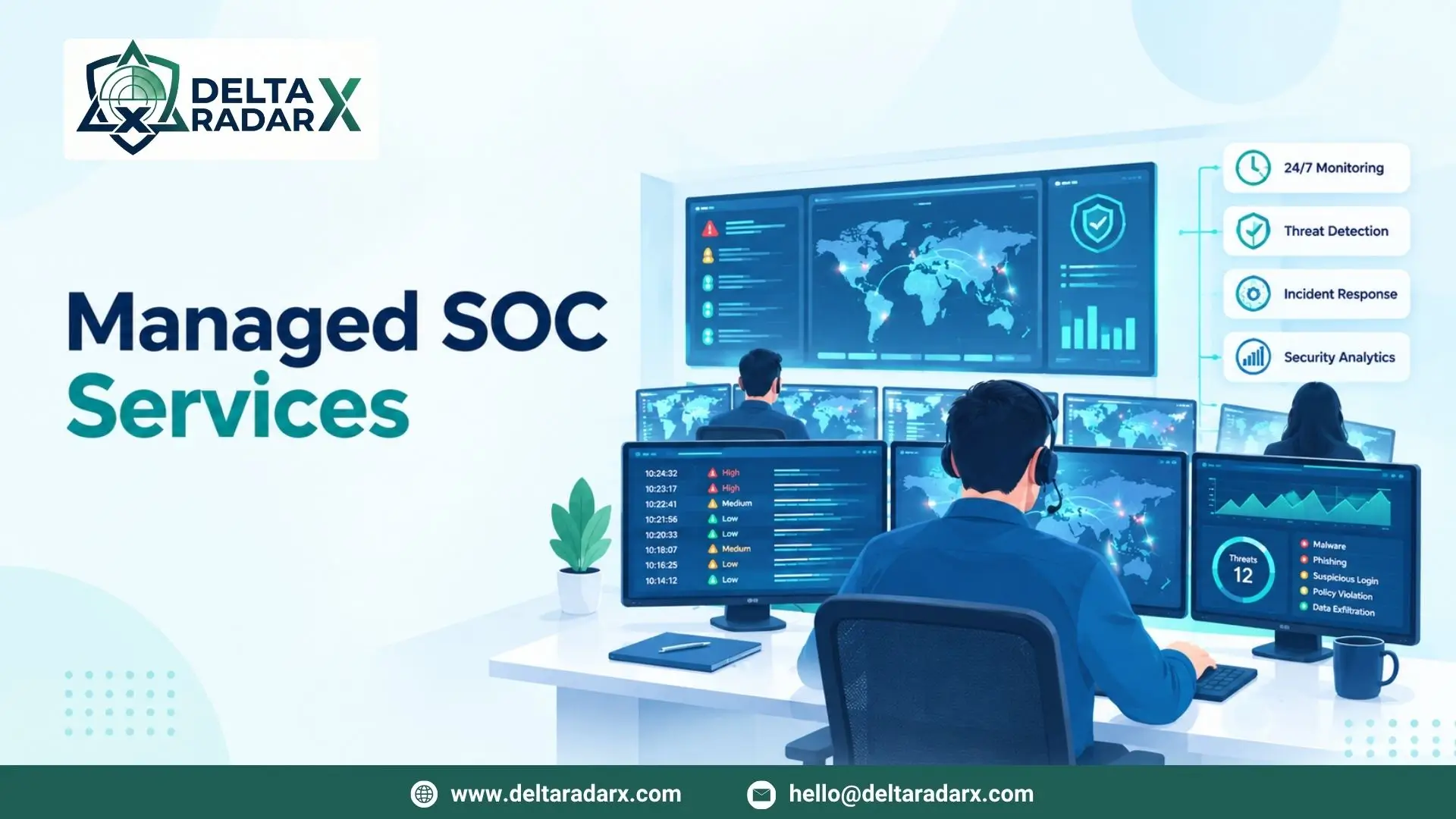
For example, DeltaRadarX can combine SIEM and log monitoring with 24/7 SOC monitoring, MDR, EDR, incident handling, threat detection, SOAR automation, firewall monitoring, and vulnerability auditing.
This approach allows small businesses to connect SIEM monitoring with other security capabilities.
SIEM vs Traditional Log Monitoring
Traditional log monitoring usually involves checking logs from individual systems.
This can become difficult as the business grows.
SIEM provides a centralized approach.
It can collect logs from multiple sources and correlate related events.
For example:
Firewall event + unusual login + endpoint alert = stronger investigation signal
This type of correlation can provide more context than reviewing one log source alone.
Benefits of SIEM for Small Business
Better Security Visibility
A SIEM provides a central view of security events.
This makes it easier to understand what is happening across the environment.
Faster Threat Detection
Automated rules and event correlation can help identify suspicious activity.
Easier Investigations
Analysts can search related events in one platform.
This can save time during security investigations.
Centralized Logging
Businesses can avoid checking multiple systems separately.
Instead, important logs can be collected in one place.
Better Incident Response
SIEM data can help security teams understand the timeline of an incident.
This can support faster response.
Improved Compliance
Some businesses need security logs and reports for compliance requirements.
SIEM can help collect and organize this information.
Common Challenges With SIEM for Small Business
SIEM can provide many benefits. However, businesses should also understand the challenges.
Too Many Alerts
Poorly configured SIEM rules can generate too many alerts.
This can make it harder to identify serious threats.
Configuration Requirements
A SIEM needs proper configuration.
Rules, log sources, dashboards, and alerts should match the business environment.
Data Costs
Some SIEM platforms charge based on data volume.
Therefore, businesses should understand how pricing works before sending large amounts of data.
Limited Security Staff
A small business may not have analysts available to review alerts.
In this situation, a managed SIEM or SOC service may be useful.
How to Choose SIEM for Small Business
Before choosing a platform, create a list of your security requirements.
Consider:
- Number of employees
- Number of endpoints
- Number of servers
- Cloud services
- Firewall setup
- Current security tools
- Log volume
- Compliance requirements
- Security staff
- Monthly security budget
Then compare SIEM options based on these requirements.
Avoid choosing a platform only because it has many features.
Instead, focus on the features your business will actually use.
How to Get Started With SIEM
Small businesses can start with their most important security sources.
Step 1: Identify Critical Systems
List the systems that contain important data or provide critical business services.
Step 2: Choose Important Log Sources
Start with firewalls, endpoints, authentication systems, servers, and cloud services.
Step 3: Define Important Alerts
Create rules for events that require investigation.
Examples include unusual login activity and suspicious network connections.
Step 4: Create an Investigation Process
Decide who reviews alerts and what happens after a threat is confirmed.
Step 5: Review and Improve
Review alerts regularly.
Remove unnecessary rules and improve useful ones.
This helps keep the SIEM efficient as the business changes.
Final Thoughts
SIEM for small business can provide better visibility across an organization’s IT environment.
It brings security logs together. It can also correlate events, generate alerts, and support investigations.
The best SIEM for small business depends on the organization’s infrastructure, budget, technical resources, and security requirements.
For companies that need additional support, SIEM solutions for small business can also be delivered through managed security services.
The key is to choose a solution that is practical, scalable, and easy to manage.